

Osprey
Strike
Available soonEmergency callout coordination for NOCs and OSP contractors
When fiber goes dark, the Network Operations Center that sees the alarms and the Outside Plant contractor that rolls the crew are in different companies, with different tools. OspreyStrike is the coordination layer between them — without replacing what either side already uses.
Interactive walkthrough — Create and track an emergency callout
What operators see
Three views that anchor a NOC shift on OspreyStrike — from the moment an incident is reported through active coordination.
01
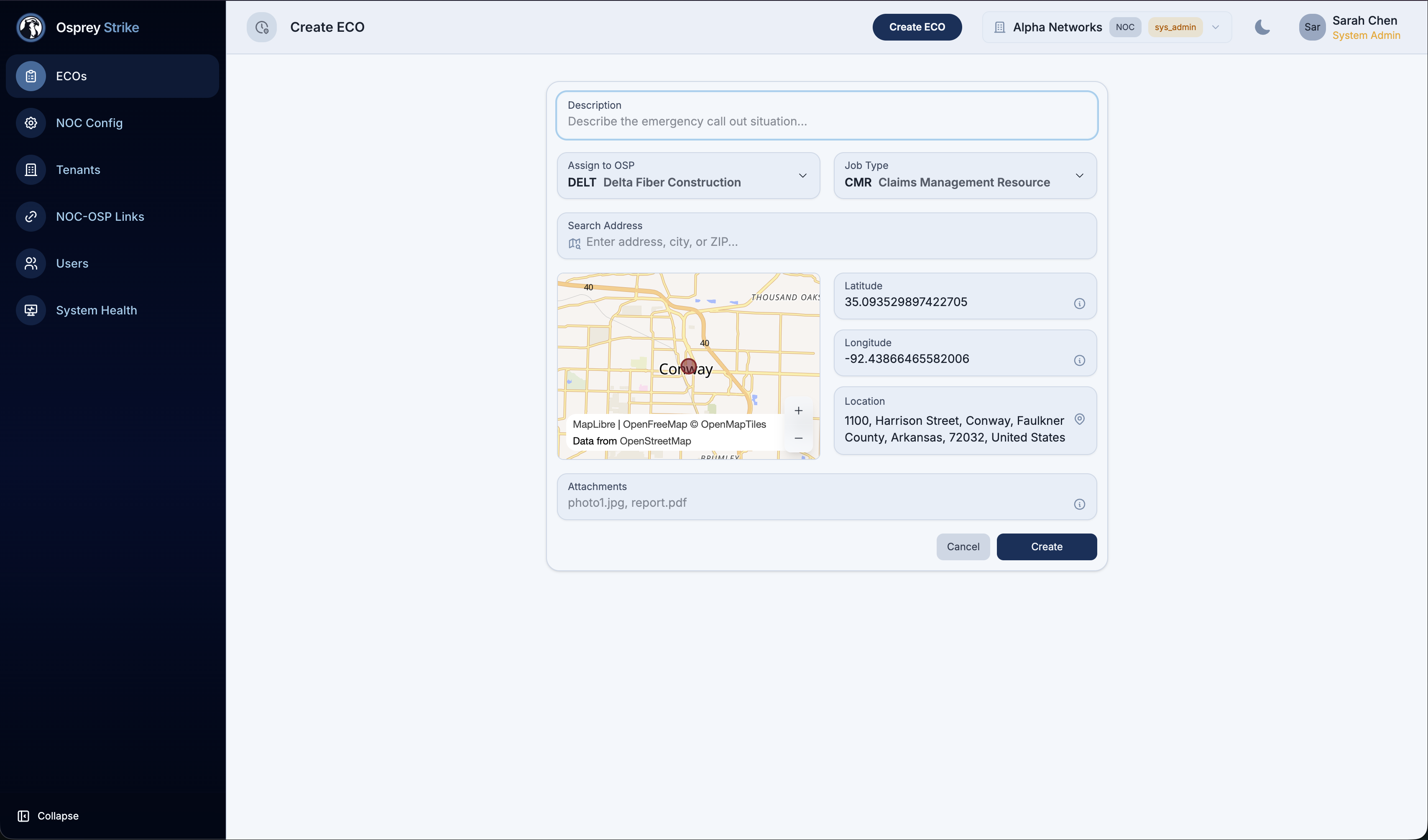
ECO intake
Fast capture of a new ECO — a precise location on the map, the job type (CMR, MFR, or FNOL), and a description. Strike takes the dispatch from there.
02
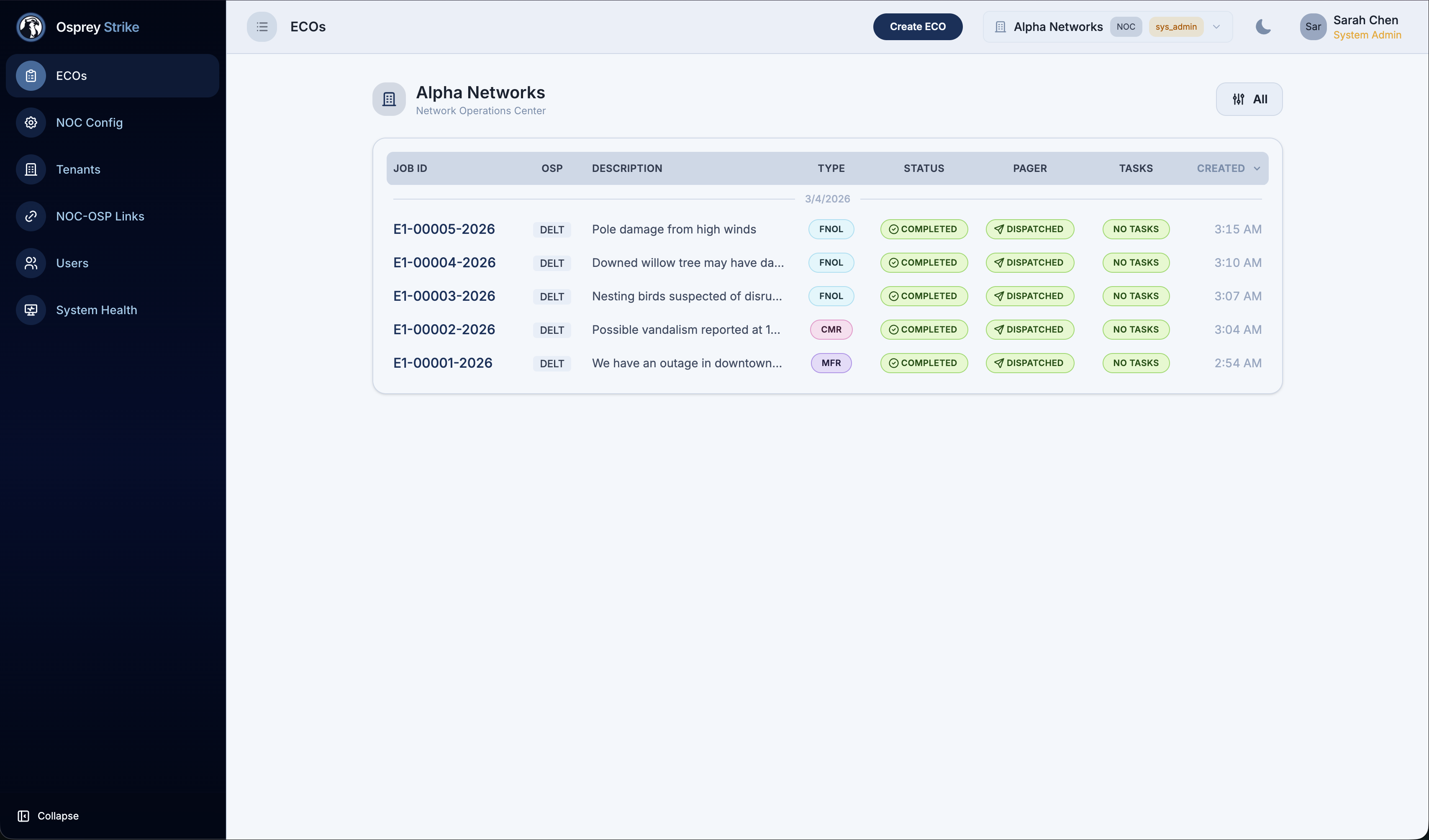
Active ECOs
Every in-flight incident on one board — clear status, assigned contractor, and how long it's been open, all at a glance.
03
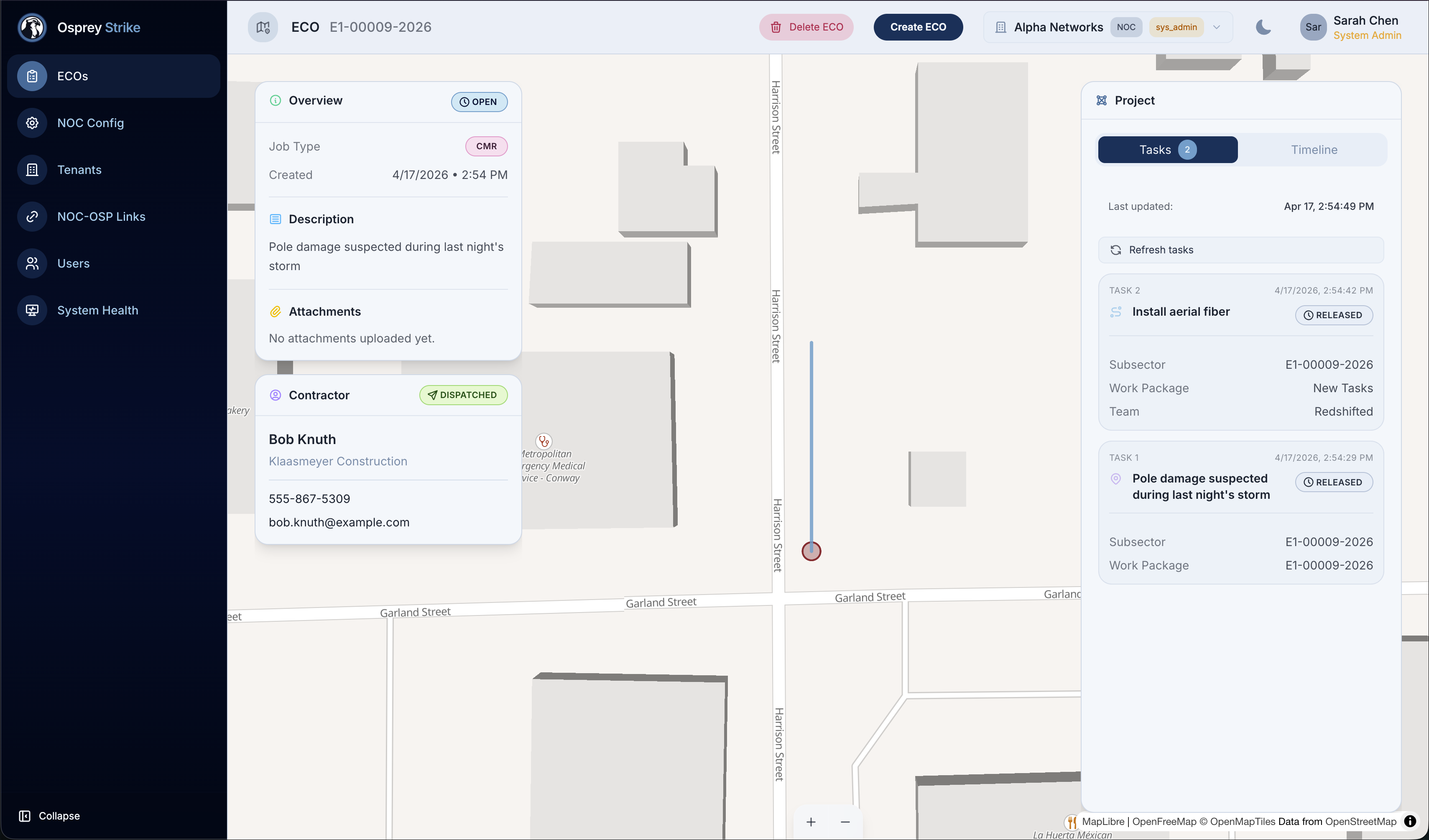
Live ECO view
Everything about a single incident — location, job details, every page attempt, the field work under way, and a timeline of what happened and when.
The NOC and the field are in different companies
When fiber goes dark, the NOC that detects the outage and the OSP contractor that fixes it are in different organizations, with different tools and no shared record. The handoff runs on pagers, phone calls, and shift-change notes. Every minute of coordination drag is downtime for someone — and a gap in the record when regulators ask what happened.
One shared view from alarm to restoration
OspreyStrike is the bridge. The NOC operator creates an ECO in one interface; Strike turns it into a dispatched work order for the OSP, pages the on-call supervisor, and brings live status back to the NOC — without asking either side to change the tools they already use.
Connects the tools you already use
Strike doesn't replace your NOC's monitoring stack or your contractor's field platform. It sits between them — turning an ECO created in the NOC into a dispatched crew, with continuous status flowing back.
For the NOC
One screen for dispatch
A single interface for creating ECOs, watching the active-incident board, and following live status — built for the people already watching alarms. A clear status on every incident keeps the screen focused on what matters right now.
For the supervisor
Automated pager dispatch
Paging persists in OSP because it works where cellular doesn't. Strike automates it: calls reach the right on-call supervisor based on where the incident is, with delivery tracking and automatic escalation if no one answers.
For the field crew
Work in the field platform you already use
Strike creates the work order in the OSP's existing field management platform — the one crews already use for assignment, GPS, photos, and completion. No new app to learn; follow-on work within 24 hours keeps the ECO open automatically.
What OspreyStrike does
ECO intake in seconds
A NOC operator creates an ECO in the web UI — a precise location on the map, the job type (CMR, MFR, or FNOL), and a description. Strike assigns the job number and kicks off dispatch automatically.
Automated paging
Strike pages the right on-call supervisor automatically, based on where the incident is. If the first contact doesn't answer, it escalates down the list on its own — no voicemail tag, no missed callbacks.
Live status from the field
Strike syncs with the OSP's field management platform — the one crews already use — and brings status changes straight to the NOC's screen. No more calling the contractor to ask what's happening.
A complete incident record
Every action on every ECO is captured — page attempts, status changes, field updates, completions. When a regulator asks what happened, an SLA dispute comes up, or the team runs a post-incident review, the answer is one search away.
Strike is one part of Constructured
OspreyStrike shares its AI backbone with the rest of the Constructured platform. Deploy alone or alongside Vantage and Reserve as a unified OSP operating system.


See OspreyStrike on your network
Schedule a working session with our team to walk through a live scenario on your NOC data and map the fastest path to an initial deployment.